[ 00.00, 00.00 ] · ORIGINAPI v1 · SCHEMA 2.0.0
CAD infrastructure for applications and AI agents

Turn CAD drawings into structured vector JSON.

Send a DWG, DXF, or DWF file to one API and get back sheets, layers, and per-entity geometry with measurements — for your application over REST, or for an AI agent over MCP.

Start free →View documentationSee example output
API status · operationalFree tier · 20 parses/mo·Sync + async parse·Schema 2.0.0
~ /jobs/job_lH9k2c · live
$ curl -X POST api.cadlens.co/v1/parse \
   -H "Authorization: Bearer ck_•••••" \
   -F "[email protected]"
RESPONSE · /v1/jobs/job_lH9k2c/result
awaiting result
2,096 entities·4 layers·PNG preview
CAD QUOTING TOOLSFLOOR-PLAN MEASUREMENTMANUFACTURING INTAKEDRAWING COMPARISONCONSTRUCTION AUTOMATIONBIM PIPELINESDOCUMENT DIGITIZATIONINSURANCE SURVEYINGCAD QUOTING TOOLSFLOOR-PLAN MEASUREMENTMANUFACTURING INTAKEDRAWING COMPARISONCONSTRUCTION AUTOMATIONBIM PIPELINESDOCUMENT DIGITIZATIONINSURANCE SURVEYING
01 — TWO PATHS

One parse result, two consumers.

CADLens is the layer between a proprietary CAD file and software that has to reason about it. What changes between these two paths is the transport, not the data.

PATH A · REST API

Build applications

  1. DWG / DXF / DWF
  2. CADLens API
  3. Structured JSON
  4. Your application

Your backend posts the file and reads sheets, layers, entities, and per-entity metrics back as JSON. Synchronous for small drawings, async with polling or a webhook for the rest.

  • One multipart POST — no CAD runtime on your servers
  • Coordinates in the drawing’s own units, not pixels
  • Stable schema 2.0.0 envelope on every entity type
API documentation
PATH B · MCP SERVER

Build AI agents

  1. CAD drawing
  2. CADLens
  3. MCP
  4. Claude / Cursor / agent

The same API exposed as Model Context Protocol tools. The agent parses a drawing, reads the summary, then pulls only the entities it needs — instead of you flattening a drawing into a prompt.

  • Seven tools, hosted HTTP endpoint or local stdio
  • Summary first, entities on demand (500 per call)
  • Same API key, same quota, same billing as REST
MCP server
02 — PROBLEM

Every team that touches CAD eventually writes a parser. Then maintains it.

01

DWG is a moving target.

It is a proprietary binary format with a new revision roughly every three years — AC1015 through AC1032 all still arrive from customers. Reading them means either a licensed converter or a clean-room library, then keeping up with the next release.

02

A raster preview answers nothing.

A PNG of a floor plan can't tell you which polyline is a wall, which layer it sits on, or how long it is in millimetres. Anything you want to measure, filter, or price has to come from the entities themselves.

03

The work is in the long tail.

A first parse is a weekend. Model space versus paper-space layouts, block inserts, hatch boundaries, MTEXT formatting codes, unit and extents handling, 200 MB drawings, conversion timeouts — that is the part that keeps coming back.

What other tools give you vs. what cadlens gives you
OPTION AImage-only converters

You get a flat picture.
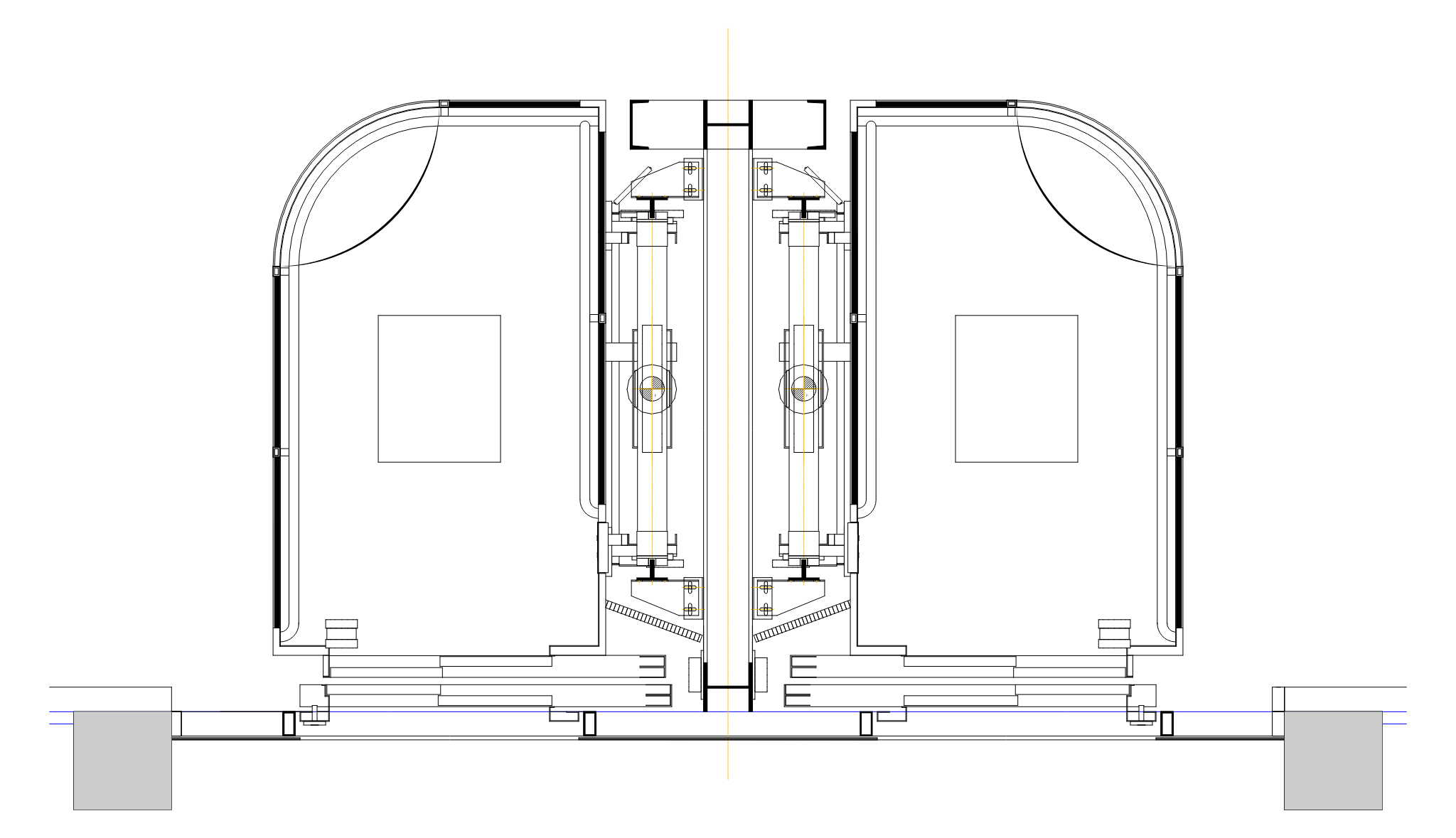
Panoramic elevator CAD preview
No layer information
No coordinates or units
Can't measure anything
Can't query individual entities
OPTION B · CADLENSresult.json

You get queryable data.

12000mm7200mmLIVINGKITCHENBED.01BED.02
RESULT.JSON
{
"type": "LWPOLYLINE",
"layer": "WALL",
"geometry": {
"vertices": [{"x":3043.08, …}],
"closed": true
},
"metrics": { "length": 1600, "area": 160000 }
}
// × 2,095 more entities
4 named layers (0, WALL, hatch, axes)
Coordinates in the drawing's own units (mm)
Per-entity bbox and metrics — length, area, vertices
Filter, transform, render anywhere
03 — API

One POST. That's it.

Push a CAD file, get back a job. Poll, subscribe to a webhook, or run synchronously for small drawings. Authentication is a single bearer token.

POST /v1/parse2.4s avg
# 1. Submit a parse job
curl -X POST https://api.cadlens.co/v1/parse \
  -H "Authorization: Bearer $CADLENS_KEY" \
  -F "[email protected]"

# 2. Poll for completion (or use a webhook)
curl https://api.cadlens.co/v1/jobs/job_lH9k2c \
  -H "Authorization: Bearer $CADLENS_KEY"

# 3. Fetch the structured result
curl https://api.cadlens.co/v1/jobs/job_lH9k2c/result -H ...
POST· billable
/v1/parse
Submit DWF/DWG/DXF for parsing
GET
/v1/jobs/{id}
Status, timing, failure reason
GET
/v1/jobs/{id}/result
Structured vector JSON
GET
/v1/jobs/{id}/image
Preview PNG (signed URL)
04 — RESULT

Every entity, every layer, every coordinate.

The JSON schema is versioned and stable. Hover a field on the right to highlight it in the response.

GET /v1/jobs/job_lH9k2c/result200 OK · application/json
1{
2 "jobId": "job_lH9k2c",
3 "status": "COMPLETED",
4 "file": { "name": "floor-plan.dwf", "format": "DWF", "units": "mm" },
5 "summary": {
6 "totalSheets": 3,
7 "totalEntities": 1284,
8 "totalLayers": 8,
9 "boundingBox": { "width": 12000, "height": 7200 }
10 },,
11
12 "sheets": [{
13 "name": "M-2", "index": 0, "entityCount": 412, "layerCount": 5,
14 "imageUrl": "https://cdn.cadlens.co/job_lH9k2c/preview-0.png",
15 "layers": [{ "name": "wall", "colorHex": "#00ff00", "entityCount": 342 }],
16 "entities": [{
17 "id": "1B2", "type": "POLYLINE", "category": "Geometry", "layer": "wall",
18 "geometry": { "vertices": [{ "x": 10, "y": 20 }, { "x": 40, "y": 20 }], "closed": false },
19 "metrics": { "length": 30, "vertexCount": 2 }
20 }, // … 411 more entities
21 ]
21 }, // … 2 more sheets (M-3, M-4)
22 ],
31 "metadata": { "filename": "floor-plan.dwf", "units": "mm" },
37 "imageUrl": "https://cdn.cadlens.co/job_lH9k2c/preview-0.png",
38 "imageUrls": ["…preview-0.png", "…preview-1.png", "…preview-2.png"],
39 "createdAt": "2026-04-25T10:00:00Z"
40}
SCHEMA · 2.0.0 · STABLE
file / summary
File name, format, CAD version, units — plus aggregate totals: sheets, entities, layers.
sheets
One entry per layout. Each sheet has its own entities, layers, imageUrl, bounding box, area, and perimeter.
metadata
File-level info retained for compatibility: filename, format, units, bounding box.
imageUrl / imageUrls
Signed PNG preview URLs — one per sheet. imageUrl is always the first sheet.
VECTOR TYPES
line · polyline · arc · circle · ellipse · spline · text · insert
05 — SAMPLE

Read a real result before you sign up.

One drawing, parsed by the production pipeline and published in full. Inspect the sheets, layers and entities in the browser, or download the JSON and diff it against your own parser.

PNG preview CADLens rendered from panoramic-elevator.dwg
See what CADLens extracts
panoramic-elevator.dwgDWG · units mm
1sheet
4layers
2,096entities

A real parse of a real drawing — walk the sheets, layers, and entities the API returned, and read the JSON for any single element. No upload, no account.

Explore result View documentation
06 — FORMATS

Supported today.

.dwf
Recommended
Design Web Format
First-class input. Clean, predictable parse path.
.dxf
Native
Drawing Exchange Format
ASCII & binary, AutoCAD R12 through 2025.
.dwg
Native
AutoCAD Drawing
Versions R14 → 2025 via licensed conversion path.
.pdf
Beta
Vector PDF
Vector-layer extraction from architectural PDFs.
.dwfx
Beta
Design Web Format X
XPS-based DWF package format.
.dgn
V7 only
MicroStation Design
V7 format only. V8 files are rejected with a clear error.
07 — AGENTS

Built for agents, not just apps.

CADLens speaks the Model Context Protocol. Point Claude — or any MCP client — at it and the agent parses drawings, walks layers, and measures geometry on its own. No glue code.

One command to connect
$ claude mcp add --transport http cadlens \
    https://api.cadlens.co/mcp \
    --header "Authorization: Bearer cadl_•••••"

✓ cadlens connected · 7 tools

> Parse this floor plan and tell me how many
  circles are on the ELECTRICAL layer.

Hosted endpoint — nothing to install. A local stdio server is available too, for agents that need to read CAD files off your filesystem.

Why it stays cheap

A drawing can hold tens of thousands of entities — more than any context window should carry. Results are progressive: the agent reads a summary of sheets, layers, and counts first, then pulls only the entities it actually needs, capped at 500 per call.

Same API key, same quotas, same billing as REST. Discovery is machine-readable too — server card, agent skills, and llms.txt are all public.

MCP server →Read the docs
parse_cad_file
Upload a DWG, DXF, or DWF and parse it.
get_job_status
Pending, processing, complete, or failed.
get_job_result
Vector JSON — summary first, then drill in.
get_job_image
Pre-signed PNG previews, one per sheet.
list_jobs
Recent jobs on the account, newest first.
delete_job
Remove a job and its artifacts.
get_usage
Plan, quota, used, and remaining.
Tool reference →
08 — SECURITY

Your drawings stay yours.

CAD files often contain confidential engineering and architectural data. Here's how we handle them.

01

Encrypted at rest

Stored encrypted, accessible only via short-lived signed URLs — never via public links.

02

Auto-deleted after 7 days

Originals are purged automatically. Configurable down to 1 hour on paid plans.

03

Delete on demand

Call DELETE /v1/jobs/{id} at any time to remove the file and all results immediately.

04

No AI training

Your drawings are never used to train models or improve any third-party AI system.

05
Private deployment available
Enterprise plans include a private VPC deployment with the same API surface, full data residency control, and custom retention policies.
09 — PRICING

Pay per successful parse.

Status checks, result downloads, webhooks, and system-side failures are never billed.

FREE FOREVER
20parses per month
Testing CADLens. No credit card required.
20 parses / month
10 MB max file size
DWG, DXF, DWF support
Vector JSON + PNG preview
Community/email support
Get your API key
STARTER
Starter
$19/mo
Small apps / prototypes
500 parses / month
25 MB max file size
7-day result retention
Webhook callbacks
Email support
MAX FILE: 25 MB
RETENTION: 7 days
OVERAGE: $0.05/request
Start with Starter
POPULAR
GROWTH
Growth
$49/mo
Early production
2,000 parses / month
50 MB max file size
14-day result retention
Webhook callbacks
Priority email support
MAX FILE: 50 MB
RETENTION: 14 days
OVERAGE: $0.035/request
Start with Growth
PRO
Pro
$149/mo
Higher-volume apps
10,000 parses / month
100 MB max file size
30-day result retention
Webhook callbacks
Priority support
MAX FILE: 100 MB
RETENTION: 30 days
OVERAGE: $0.02/request
Start with Pro
BUSINESS
Business
$399/mo
High volume
40,000 parses / month
250 MB max file size
30-day result retention
Webhook callbacks
Priority support
MAX FILE: 250 MB
RETENTION: 30 days
OVERAGE: $0.015/request
Start with Business
ENTERPRISE

Custom pricing for production workloads

Higher volumes, larger files, SLA guarantees, private deployment.

Custom volume
Custom file size
Custom retention
SLA + private deployment
Dedicated support
Contact us — [email protected]
HOW BILLING WORKS
Only successful parses count toward your limit. Failed uploads, status checks, result downloads, and webhooks are always free. System errors never consume your quota.
10 — FAQ

Questions, answered.

Different shapes of solution. Autodesk Platform Services is a first-party platform oriented around viewing and model derivatives — deep, and correspondingly larger to integrate. ezdxf is an excellent in-process DXF library, but it does not read DWG, so you still need a conversion step in front of it; LibreDWG reads DWG directly, with coverage that varies across the long tail of revisions. Running the ODA File Converter yourself is the industry-standard conversion path (CADLens uses it internally) and means operating a licensed, GUI-era binary headlessly with a queue in front of it. CADLens is the hosted abstraction over that work: one REST endpoint, a versioned output schema, per-parse pricing, and no conversion infrastructure of your own.

File metadata (units, layers, drawing extent), and a per-sheet structure — each sheet carries its own layers and entities (polylines, arcs, circles, splines, text, hatches, inserts), each entity with coordinates, category, bounding box, and computed metrics — plus signed URLs to rendered PNG previews, one per sheet. Schema is versioned (currently 2.0.0) and we never make breaking changes within a version.

Both. POST /v1/parse returns a job ID immediately. Poll GET /v1/jobs/{id} or register a webhook URL on the request. You can pass mode=sync as a form field to block on the response; uploads of 10 MB or more automatically continue asynchronously.

Originals are stored encrypted and accessible only via signed URLs. Result retention depends on your plan: 24 hours on Free, 7 days on Starter, 14 days on Growth, 30 days on Pro and Business, and custom on Enterprise. You can issue a delete via DELETE /v1/jobs/{id} or the dashboard at any time.

No. System-side failures (parser crash, timeout, infra error) are never billed. User-caused errors that we detect early (invalid file, unsupported version, oversized) also don't bill. Only successful parse jobs count against your plan.

Enterprise plans include a private VPC deployment with the same API surface. Talk to us about volume, SLA and data residency.

Yes. CADLens runs a Model Context Protocol (MCP) server — a hosted Streamable HTTP endpoint plus a local stdio server (npm package cadlens-mcp) — exposing seven tools (parse_cad_file, get_job_status, get_job_result, get_job_image, list_jobs, delete_job, get_usage) authenticated with the same API key as the REST API. See /mcp and /docs#mcp.

Copy-ready SKILL.md prompts are at /docs#skill-prompts — one for agents with the CADLens MCP server connected, one for agents that only have an API key and HTTP access. Drop either into .claude/skills/cadlens/SKILL.md, a Cursor rule, or a system prompt. The same skills are also published machine-readably, with SHA-256 digests, at /.well-known/agent-skills/index.json for agents that discover CADLens on their own.

11 — START

Get an API key. Parse your first drawing today.

The free plan includes 20 parse requests per month and never expires. Keys are issued the moment you sign in — nothing to request, nobody to wait for.

20 parse requests per month, free forever
Same REST API and MCP server on every plan
Schema 2.0.0 results — sheets, layers, entities, metrics
PNG previews and webhook callbacks included
01
Sign in
Google or GitHub. No credit card, no sales call.
02
Create an API key
Generated in the dashboard and usable immediately.
03
POST your first file
One multipart request to /v1/parse — REST or MCP.
Start free · 20 parses/mo